Learn Your Website
Get familiar with the editing screens and the tasks you will handle after launch.

Help after your website launches
Your website comes with lifetime phone help and training. When you need to know how to use it, we are here to answer your questions and show you how, for as long as you own your website.
Call Bob: (541) 226-8087Send a question or support request ↓
Work directly with Bob
Learning your website for the first time, showing a staff member the steps, or needing a reminder later? Give us a call.
01 / Learn the tasks you need
You should be comfortable using the website built for your business. We explain the steps your team needs, from changing information to managing the publishing tools included in your project.
Training does not end with your first walkthrough. If you forget a step or need help finding something later, call us.
Get familiar with the editing screens and the tasks you will handle after launch.
Walk through the tools your team uses to keep information and inventory current.
Get an answer or a refresher for as long as you own your website.
02 / Tools matched to your work
A dealership updating vehicle listings needs different tools from a contractor adding project photos. We build around those tasks and show your team how to use the features included in your website.
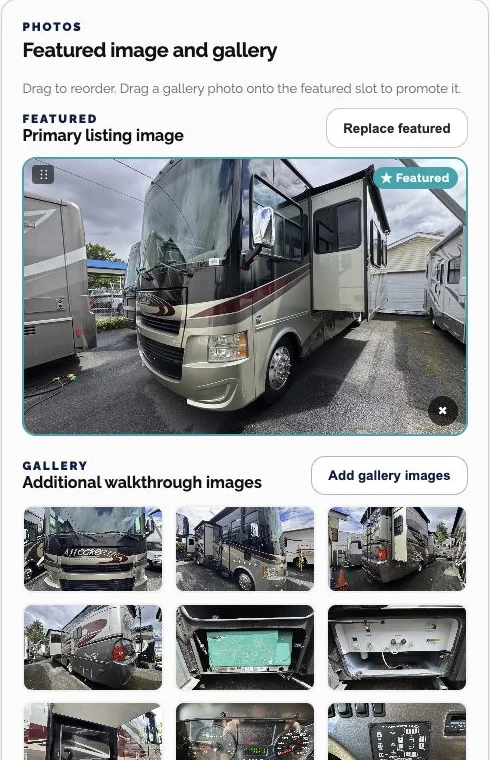
Gresham RV Sales’ editor brings vehicle details, availability and photos into dedicated screens, so staff can update a listing without rebuilding the page layout.
Explore the Gresham RV Sales project →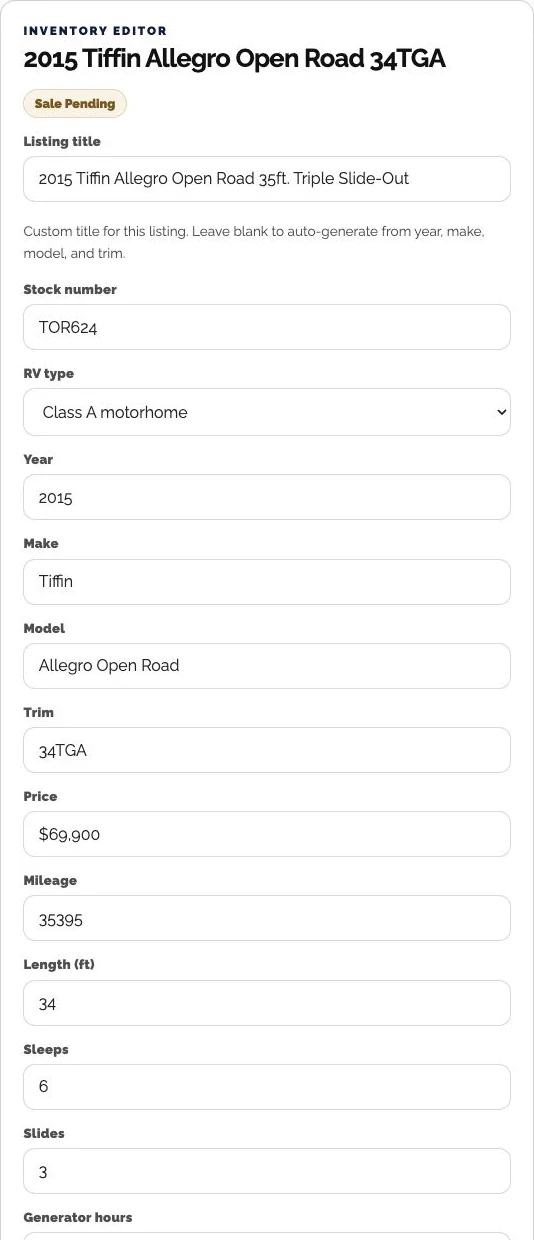
03 / Keep the website useful
New services, changed hours, better project photos and expired promotions all need attention. Tell us what needs to change, and we’ll review the website and access before setting the scope.
If something is not working, a specific example helps us investigate. A focused repair may be all that is needed.
Phone answers and training on how to use your website, for as long as you own it.
Work we carry out on the website is scoped separately. We identify the requested changes, responsibilities and costs before proceeding. Hosting, platform maintenance, content edits and new features are distinct parts of that conversation.
04 / Make it easy to investigate
For a how-to question, call us. For a change or a problem that needs a closer look, send these details so we can understand the request.
Send the website address and point us to the page or tool you need help with.
Describe the change, or explain what you expected to happen and what happened instead.
Include the steps you took and a screenshot if it helps show the problem.
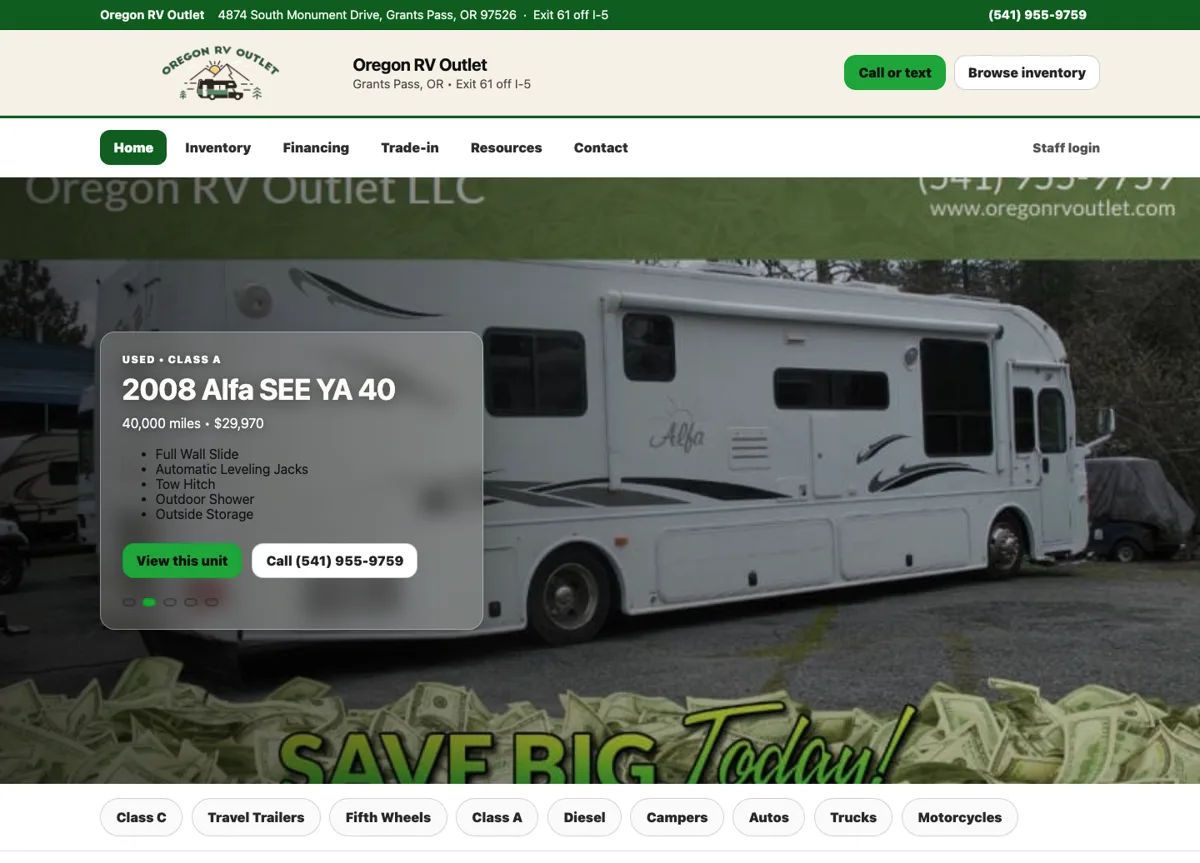
An RV dealership website that puts the whole lot within reach.
Website project
View Project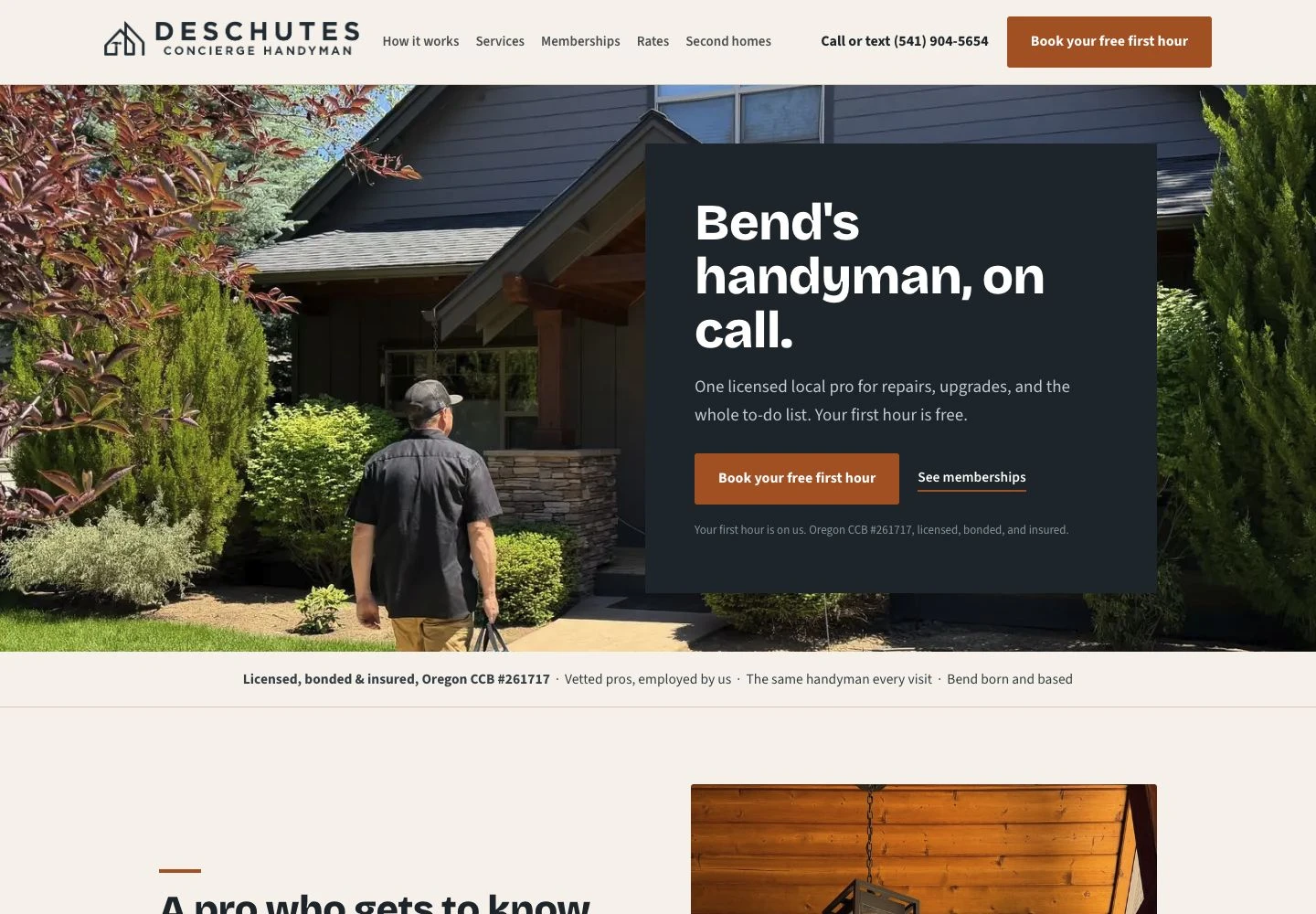
A Bend handyman’s services, memberships, and project work under one roof.
Website & publishing tools
View Project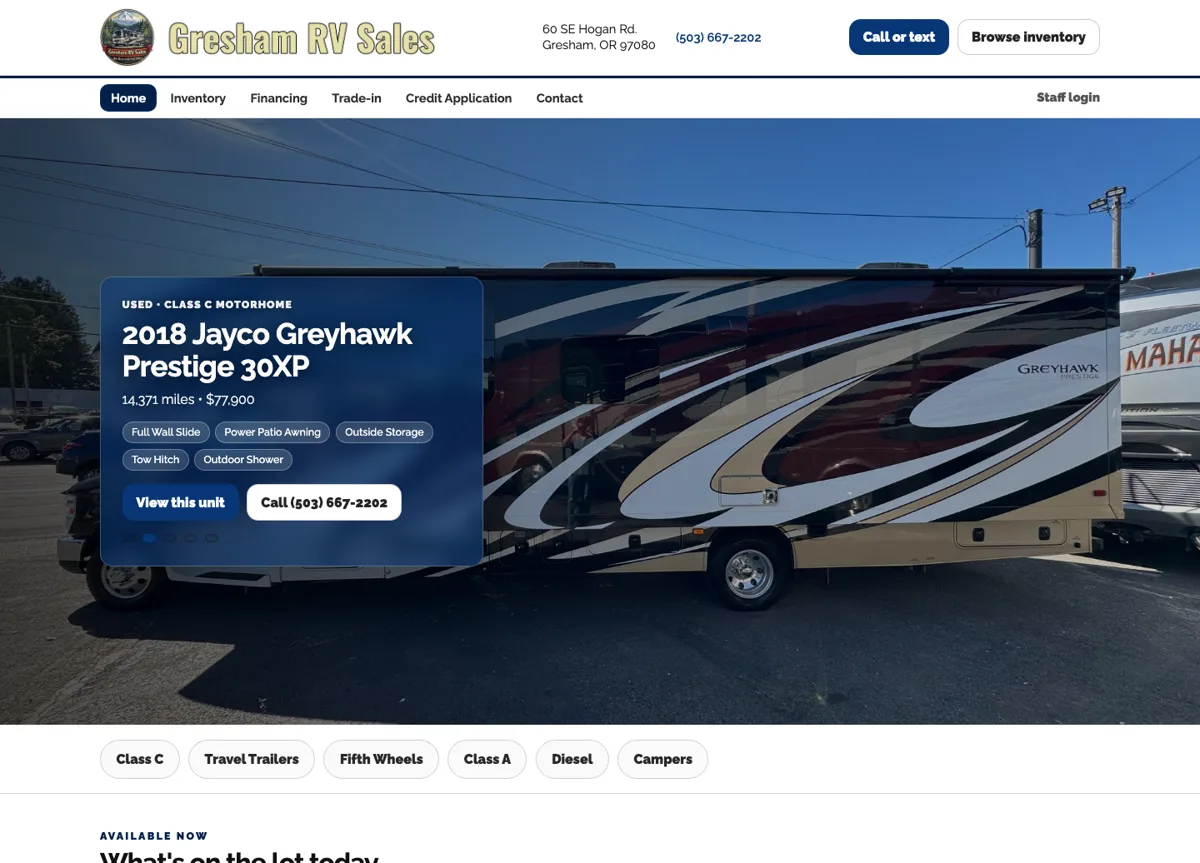
RV shopping for customers. Inventory management for the dealership.
Website project
View ProjectA few details are all we need to get started.